Route Planning
Calculate driving, cycling, or walking routes between two points on the map. Routes follow real roads and paths, providing distance, duration, and turn-by-turn directions.
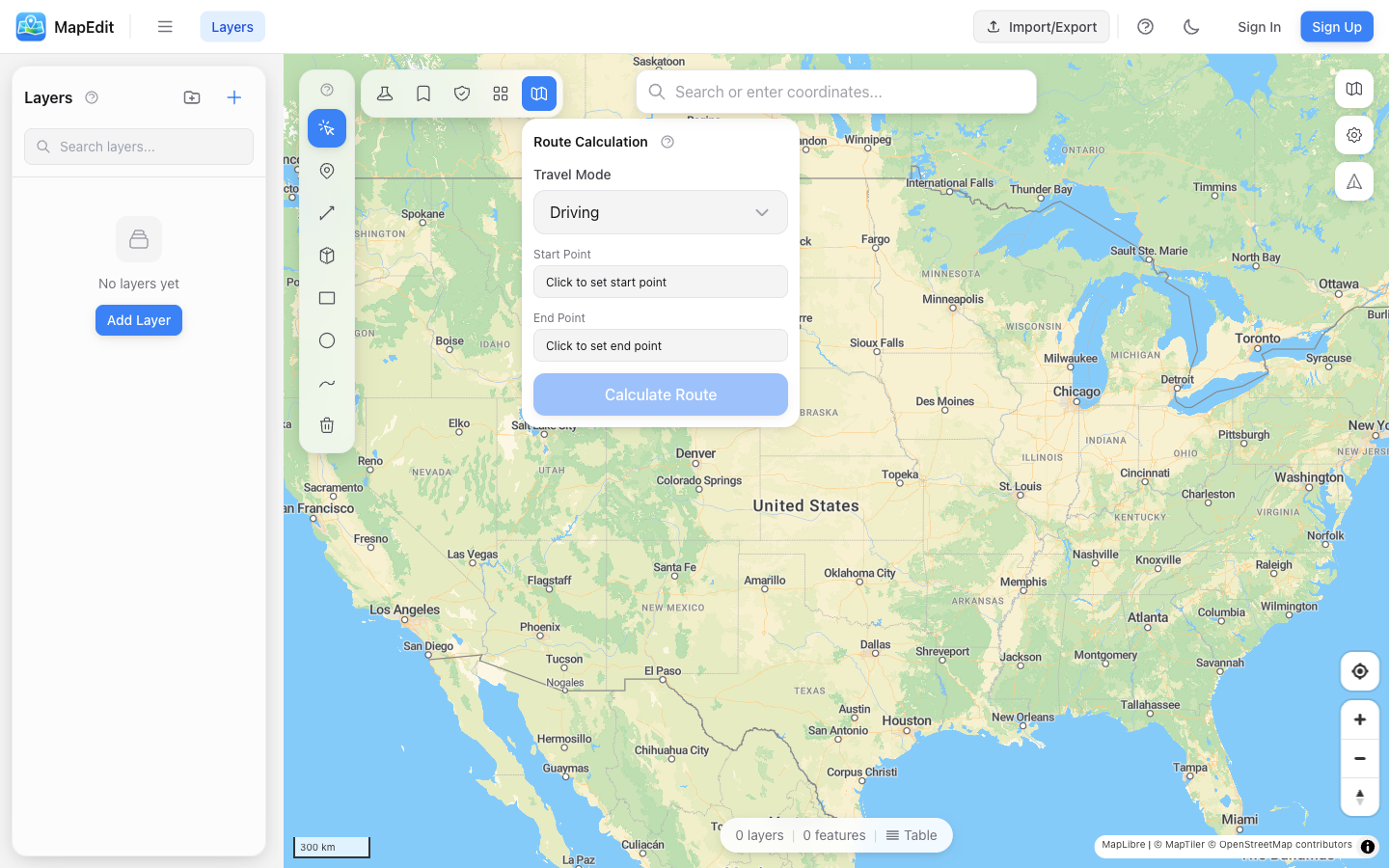
Creating a Route
- Click the route icon in the analysis toolbar
- Select a travel profile (Driving, Cycling, or Walking)
- Click "Set Start" then click on the map
- Click "Set End" then click on the map
- Click "Calculate Route"
Travel Profiles
- Driving — Follows roads suitable for cars
- Cycling — Uses bike paths and cycling-friendly roads
- Walking — Follows pedestrian paths and sidewalks
Different profiles may produce very different routes. A cycling route might avoid highways that a driving route would use.
Route Results
After calculating a route, you'll see:
- Total distance in kilometers or miles
- Estimated travel time
- Turn-by-turn directions
- Route line displayed on the map
Turn-by-Turn Directions
Expand the directions panel to see detailed navigation steps:
- Each step shows the instruction
- Distance for each segment
- Street names where available
- Turn types (left, right, straight, etc.)
Avoidance Zones
You can avoid certain areas when calculating routes:
- Create a polygon layer with areas to avoid
- In the routing panel, select this layer as "Avoid Layer"
- Calculate the route — it will go around the avoided areas
Use avoidance zones for construction areas, restricted zones, or areas with known traffic issues.
Saving Routes
When a route is calculated, it is automatically saved as a new layer named after the travel profile (e.g., "Route (Driving)"). The route line and its properties (distance, duration) are stored as a regular feature that you can style, export, and manage like any other layer.
Clearing Routes
Click "Clear" in the routing panel to remove the current route from the map and start over.
Accuracy
Routes are calculated using OpenStreetMap road data:
- Coverage varies by region
- Results are estimates for planning purposes
- Actual travel times may vary
- Always verify critical routes